

What Elections 2 is about
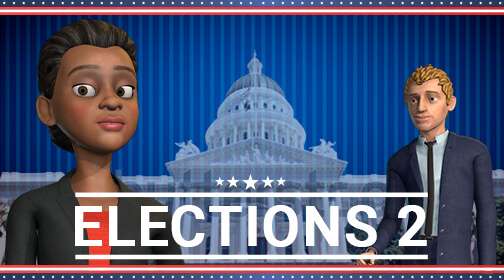
Welcome to the second game in the Elections series. Barbara Davis now has her sights set on the governor's office in California, but there's one big obstacle in her way: Evolet Garcia. The polls aren't looking good, and the political pundits agree on why: Barbara lacks visibility.
Can she climb back in the polls and win? As you follow her campaign, you work on exactly what makes a message visible: the supporting materials in a presentation. In the simulator, you learn how to design a presentation step by step: choosing and using the right tools for face-to-face and virtual presentations, and turning an overall concept into slides that work.
Every exercise comes with personalized feedback, so you know what to change in your next presentation.
What you'll learn
- Understand the role supporting materials play in a presentation.
- Use the right tools in both face-to-face and virtual presentations.
- Apply the rules of use for each presentation aid.
- Learn the keys to designing quality support material.
- Design simple slides that fit your style and make an impact.
Course outline
- Level1
Presentation aids: function and rules of use
What each aid is for and which rules to follow when you use it, in the room or online.
- Level2
Audiovisual design: from general aspects to slides
From the visual approach of the whole presentation to the design of each slide.
How it plays
An uphill election race
Barbara's fight to climb in the polls gives every exercise a purpose.
An advanced simulator
You design and use supporting materials in realistic situations, in a safe, stress-free setting.
Personalized feedback
You see what's working in your slides and what could be simpler.
Rankings, levels and badges
Level up, earn badges and check your place on the leaderboard.
Who it's for
- Professionals who prepare support material for face-to-face presentations.
- People who present online and need their slides to work in a virtual presentation.
- Anyone who wants clearer, more visual presentations with real impact.
FAQ
How long is Elections 2, and what do I need to play?
About 1 hour. All you need is a device with an internet connection. It's available in Spanish, English, French, German and Portuguese.
Can we add it to our LMS?
Yes. Play on the Game Strategies platform or add Elections 2 to your LMS (Cornerstone, Moodle, SAP SuccessFactors, etc.). You can also follow each learner's and each group's progress in real time.
How do you design a presentation that works?
Start by understanding what each supporting element is for, follow its rules of use and design simple slides that fit your style. That's exactly what you practice in Elections 2, with feedback on every exercise.
How does it fit with Elections 1 and Elections 3?
All three games follow Barbara Davis and cover high-impact presentations from start to finish: Elections 1 covers the script, Elections 2 audiovisual design and tools, and Elections 3 public speaking.


Shall we play?
Tell us what your team needs to practice and, in a personalized demo, we'll show you the solution that will make the biggest impact on your organization.